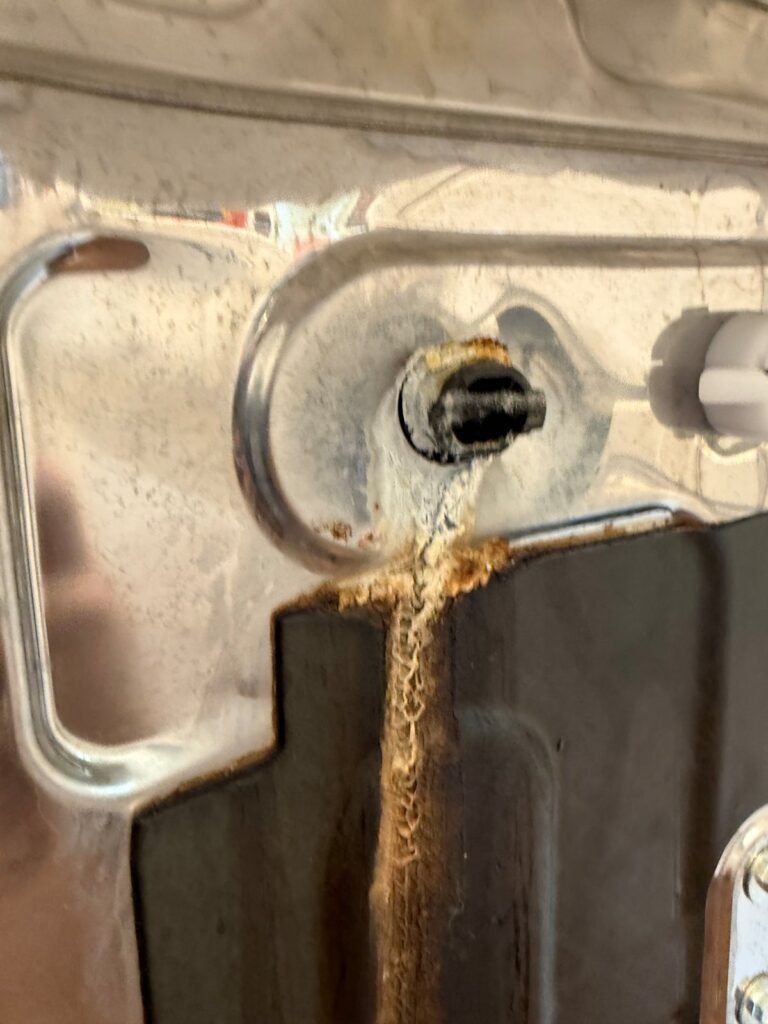
KitchenAid Dishwasher Stops Mid Cycle? Causes & Real Fix
When a KitchenAid dishwasher stops mid cycle, the problem rarely shows up alone. Most owners notice three symptoms together: the dishwasher stops before finishing (though some loads still finish), water is left in the bottom of the dishwasher, and the dishes come out dirty. We saw exactly this on a recent call in Rancho Santa Fe. Here is what we found inside the dishwasher, what you can safely check yourself first, and when it is time to call a technician.
Quick answer: why a KitchenAid dishwasher stops mid cycle
If the door was opened during the cycle, the dishwasher is just waiting for you to press Start and close the door. If the KitchenAid dishwasher stops mid cycle on its own, KitchenAid says the cause is often drainage. Check the filter, the drain hose, and the garbage disposal first. If the KitchenAid dishwasher is still not draining after that, the pump may be clogged or worn. In our Rancho Santa Fe repair, debris at the pump inlet and around the pump motor caused all three symptoms, and the repair was a new pump and motor assembly.
Real repair in Rancho Santa Fe: KitchenAid dishwasher stops mid cycle
The customer in Rancho Santa Fe (92067) called about a KitchenAid dishwasher with three complaints:
- It stopped in the middle of the cycle and did not finish. Sometimes it did finish, which made the problem hard to pin down.
- Sometimes it did not drain, and water stayed in the bottom of the tub.
- The dishes were not getting clean.
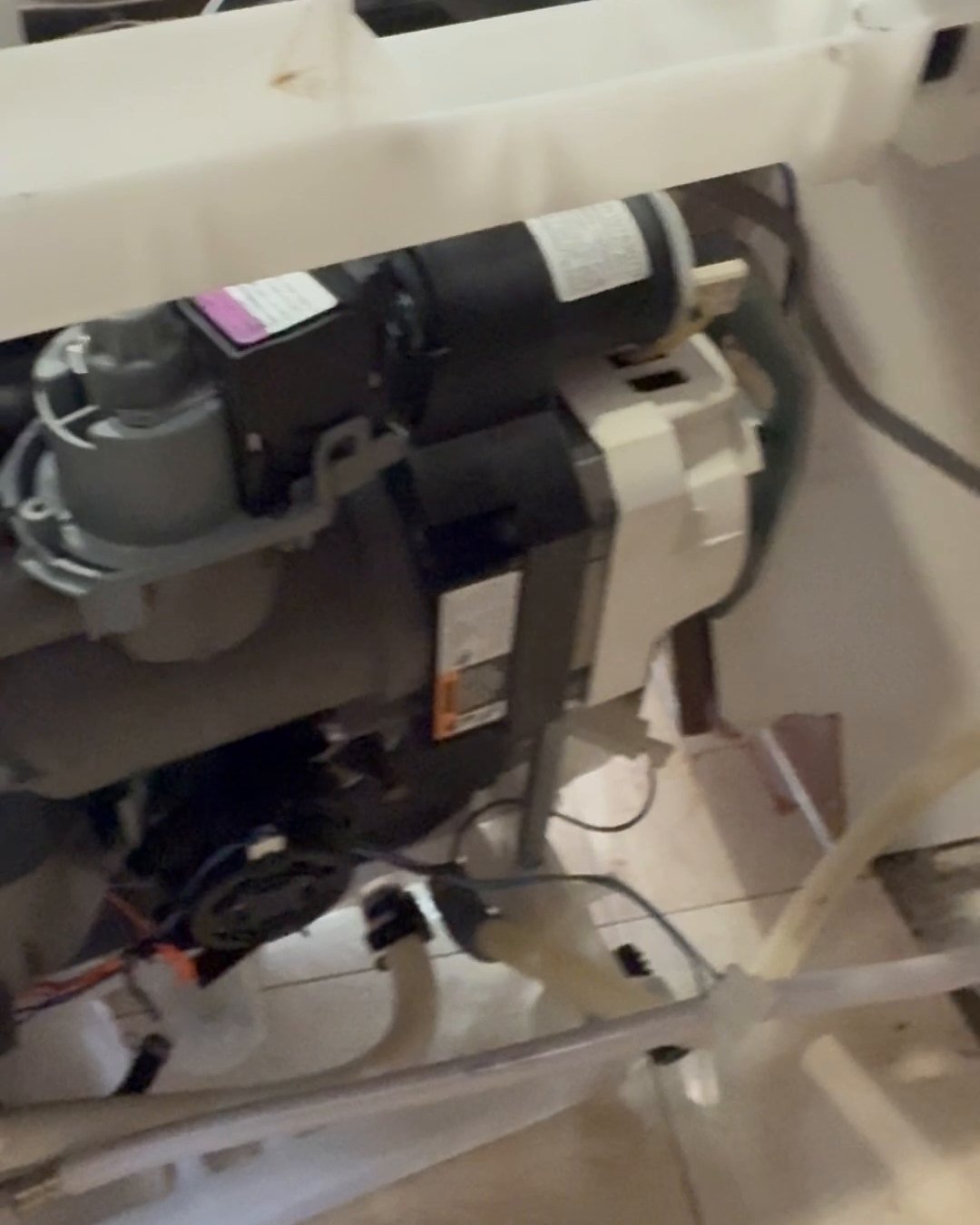
We pulled the dishwasher out of the cabinet to reach the pump. The pump inlet was clogged with debris, and there was more debris around the pump motor.
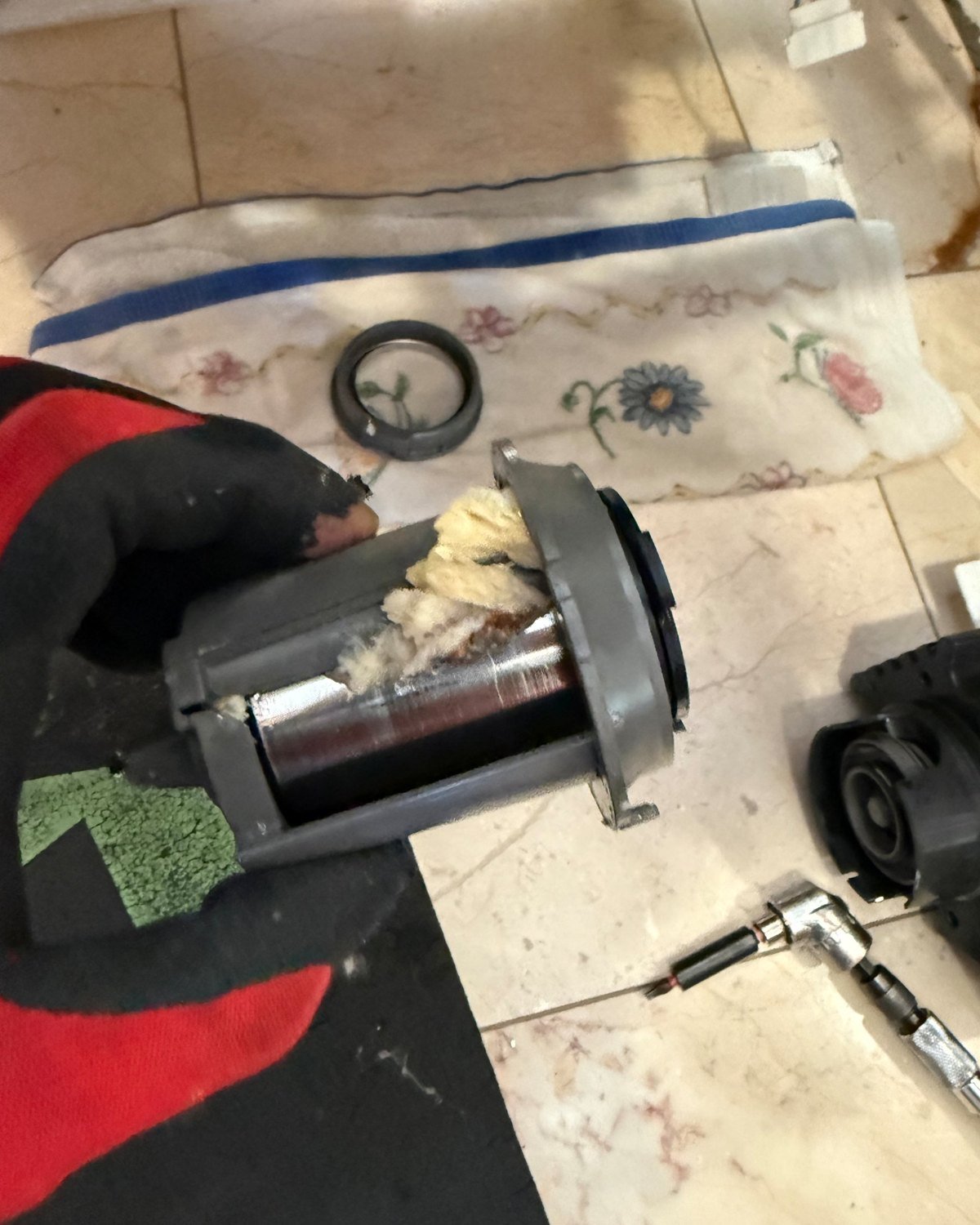
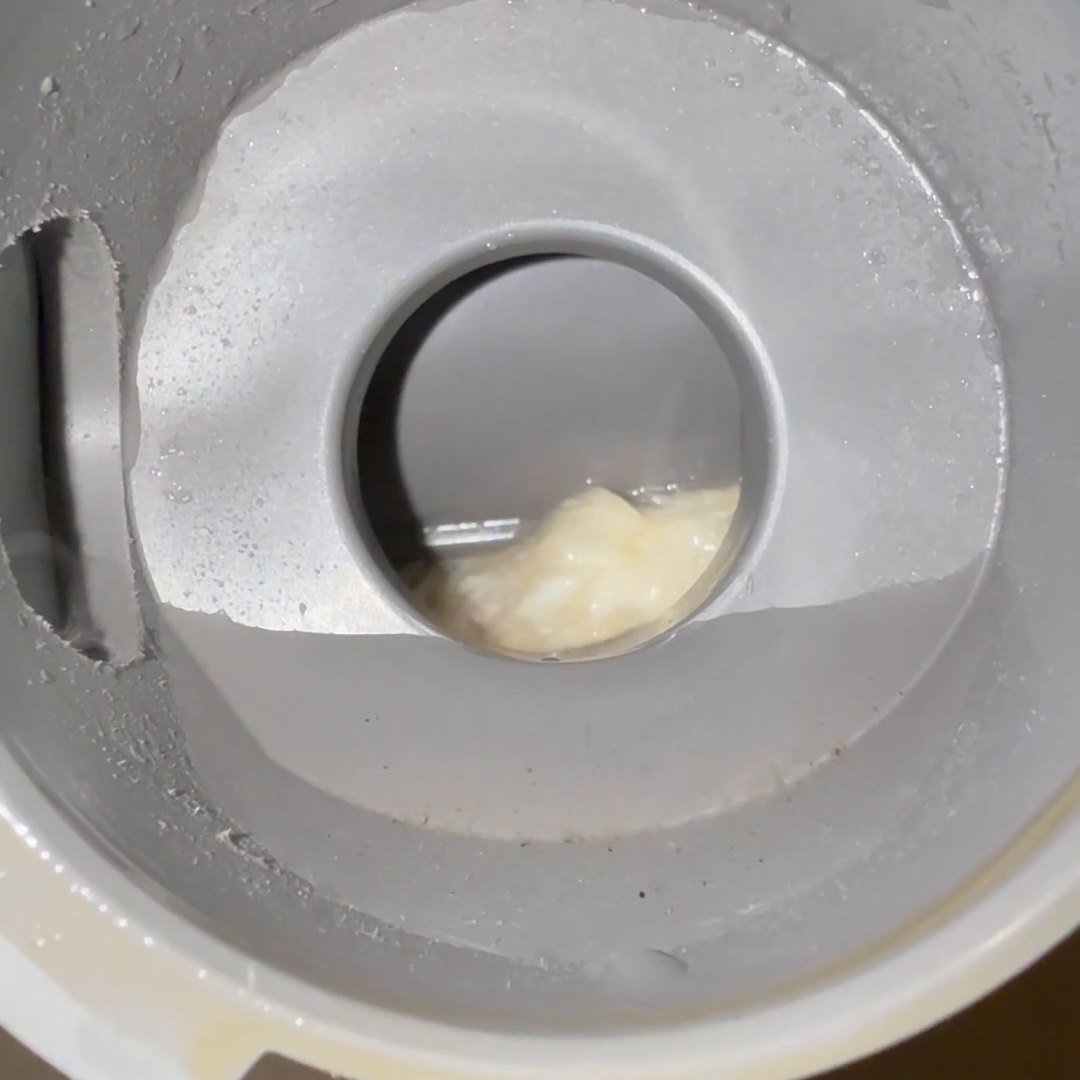
We replaced the dishwasher pump and motor assembly with a new one and put the dishwasher back in place.
This case is a good example of why one fault can look like three different problems. The owner saw a cycle that quit, water left in the tub, and dishes that were not clean, and it would be easy to blame the detergent, the water supply, or the control. All three symptoms came from the same place: water could not move freely through the pump. When a KitchenAid dishwasher stops mid cycle and also leaves water behind, it is worth looking at drainage and the pump before anything else.
Why debris in the pump stops the cycle
A dishwasher only works when water moves freely. The circulation pump sends water up to the spray arms, and used water has to leave through the drain hose. When debris gets into the pump inlet, that flow drops, and you start to see the same three symptoms we found in Rancho Santa Fe:
- Dirty dishes. Less water reaches the spray arms, so the KitchenAid dishwasher is not cleaning dishes the way it should.
- Water left in the bottom of the dishwasher. Water drains slowly or not at all.
- The cycle stops early. KitchenAid lists drainage as a common reason a KitchenAid dishwasher stops mid cycle.
Debris packed around the motor also makes the assembly work harder. That is why a pump that has been running with debris may need to be replaced, as it was in this case, and not just cleaned.
What to check first
If your KitchenAid dishwasher stops mid cycle, go through these steps before you call anyone. They come from KitchenAid’s official Stops Mid Cycle help page. Turn off power before you reach into the bottom of the tub.
- Was the door opened? If the door was opened during the cycle, press Start and close the door to resume.
- Was there a power outage? Press and hold Cancel to drain the water, then start a new cycle.
- Clean the filter. Remove the filter and rinse it thoroughly under running water. KitchenAid has a step-by-step guide on how to clean a dishwasher filter. A clogged dishwasher filter is easy to fix yourself.
- Check the drain hose. Look under the sink for a kink, a pinch, or a clog in the drain hose.
- Check the garbage disposal. If the dishwasher drains into a disposal, make sure the disposal is clear. On a new installation, make sure the garbage disposal knockout plug was removed.
- Look for error codes. If lights flash or a code appears, check the error code section of KitchenAid’s help site.
- Reset the KitchenAid dishwasher. Turn off power for 30 seconds by unplugging it or switching off the circuit breaker, then turn the power back on.
How to keep debris out of the pump
A KitchenAid dishwasher stops mid cycle far less often when the pump stays clean. Most pump clogs start with things that should never reach the bottom of the tub. A few habits help protect the pump:
- Scrape large food scraps off plates before loading.
- Remove labels, paper, and small items from jars and containers before you put them in.
- Clean the filter regularly, not only when there is a problem.
If your dishwasher is also leaking, read our guide on a KitchenAid dishwasher leaking.
When to call a technician
The checks above solve many cases, but not all. Call a technician if you notice any of these:
- The pump hums but does not pump water.
- Water still stands in the bottom after you cleaned the filter and checked the drain hose.
- The KitchenAid dishwasher keeps stopping mid cycle after a reset.
- Error codes keep flashing or come back.
Do not keep running cycles if water is standing in the tub, and do not take the dishwasher apart if you are not comfortable working with water and electricity together. These signs usually mean the problem is inside the dishwasher, often at the pump, and reaching it means pulling the dishwasher out. We do dishwasher repair in San Diego and across the county.
Dishwasher repair cost in San Diego
| Item | Price |
|---|---|
| Service call and diagnostic | $89.95, credited toward the repair if approved within 10 days |
| Repair | From $189 labor + parts |
| Warranty | 30 days |
| Online booking discount | $20 off |
You get the exact price after diagnosis, before any work starts. See all of our prices.
Dishwasher repair in Rancho Santa Fe and nearby
We offer dishwasher repair in Rancho Santa Fe, Fairbanks Ranch, Del Mar, Solana Beach, Carmel Valley, Encinitas, and 4S Ranch. Check the full service area, book online, or call (858) 225-1715.
FAQ
Why does my KitchenAid dishwasher stop mid cycle?
If the door was opened, the cycle simply pauses until you press Start and close the door. If it stops on its own, KitchenAid points to drainage first: a clogged filter, a kinked or blocked drain hose, or a clogged garbage disposal. In our Rancho Santa Fe repair, debris in the pump inlet and around the pump motor made the KitchenAid dishwasher stop mid cycle.
Why is my KitchenAid dishwasher not draining?
Clean the filter under running water, check the drain hose for kinks or clogs, and make sure the garbage disposal is clear. On a new installation, check that the disposal knockout plug was removed. If water still stays in the bottom, the pump may be blocked or worn and needs a technician.
How do I reset a KitchenAid dishwasher?
Turn off power to the dishwasher for 30 seconds by unplugging it or switching off the circuit breaker, then turn the power back on. If the cycle stopped after a power outage, press and hold Cancel to drain the water, then start a new cycle.
Can a dirty filter make my dishwasher stop before finishing?
Yes, it can contribute. KitchenAid lists a clogged filter as one of the first things to check when a dishwasher stops mid cycle, because it can slow drainage. A dirty filter can also let debris build up and reach the pump.
How much does dishwasher repair cost in Rancho Santa Fe?
The service call and diagnostic is $89.95 and is credited toward the repair if you approve it within 10 days. Repairs start at $189 labor plus parts, with a 30-day warranty. You get the exact price after diagnosis, before any work starts, and $20 off when you book online.
Optimus Appliance Repair is an independent service company and is not affiliated with or authorized by KitchenAid or Whirlpool Corporation.