LG Microwave Won’t Start (Sometimes)? Door Switch Fix in San Diego
If your LG microwave won’t start every time you press Start, you are not alone. A common version of the problem goes like this: you press Start and nothing happens, you press it again and the microwave runs. Below we share a real repair from San Diego on an LG LMV2031BD over-the-range microwave with exactly this symptom, walk through the checks LG recommends in its official start-button troubleshooting guide, and explain when it is time to call a technician.
Table of Contents
Quick answer: why an LG microwave won’t start
According to LG, when the start button is not working, the likely causes are that the control lock is on, the door isn’t latched properly, or the control panel has a fault. If your microwave won’t start sometimes but works other times, look hard at the door. In our San Diego repair, worn door interlock switches did not always close, so the microwave “thought” the door was open and ignored the Start button. Grease buildup on the switch lever and around the door latch made it worse.
We replaced the interlock switches and cleaned off the grease, and the microwave now starts every time. Before you call anyone, try the simple checks: wipe the door area, open and close the door 2 to 3 times, check the control lock, and reset the microwave by unplugging it or switching off the circuit breaker for 2 to 3 minutes.
Real repair in San Diego: LG LMV2031BD that started only sometimes
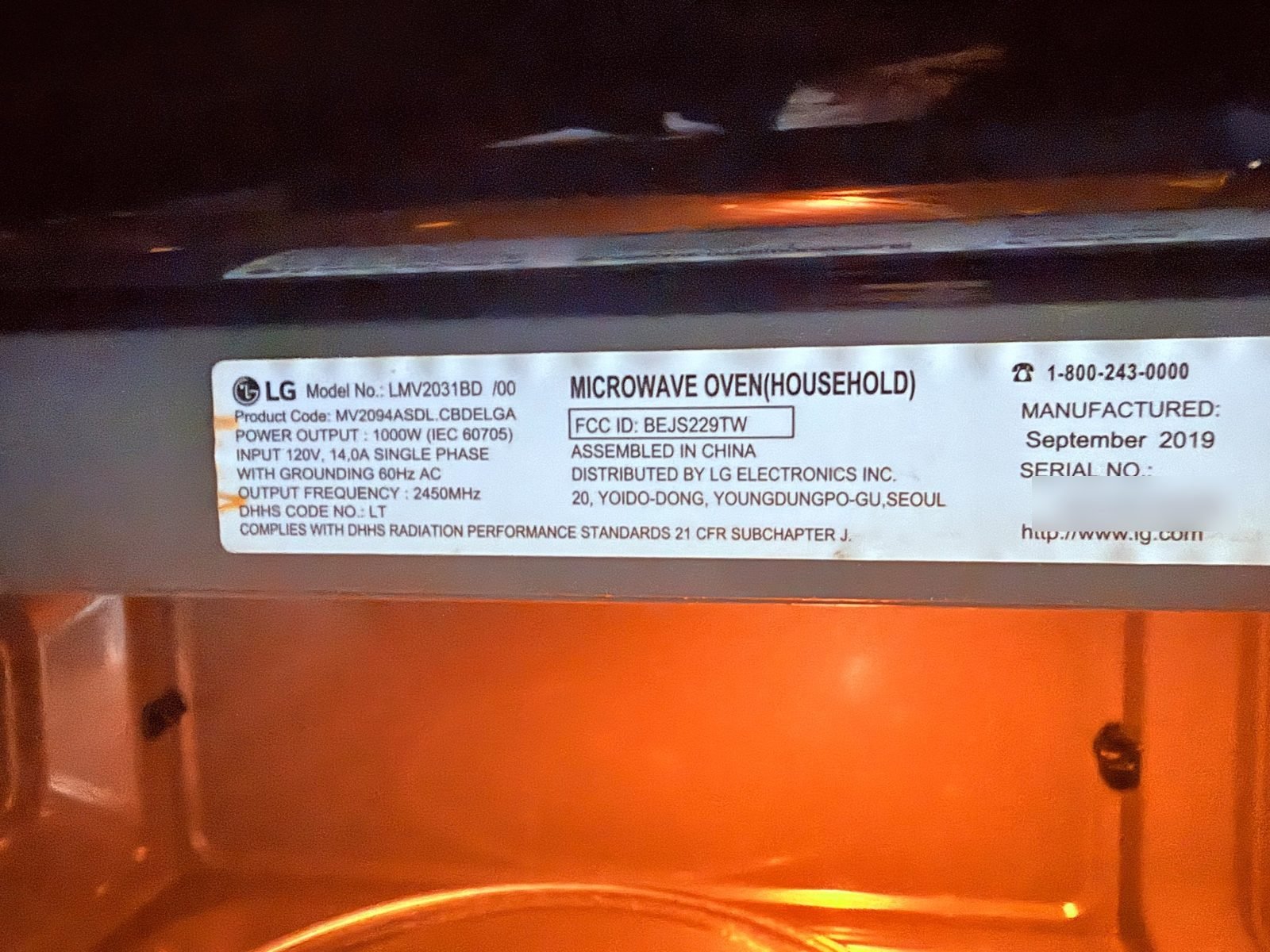
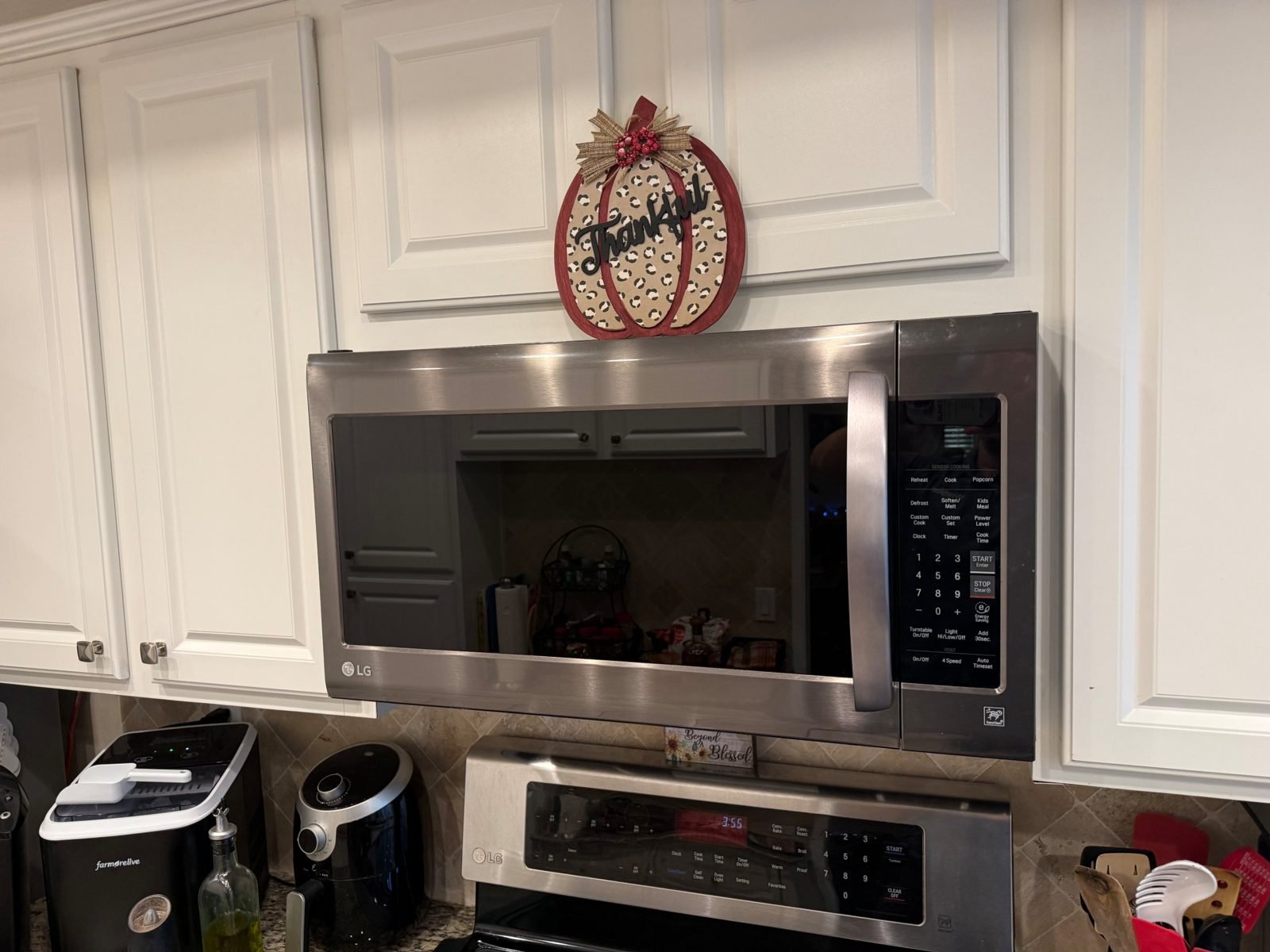
The customer’s microwave was an LG LMV2031BD, a 1000-watt over-the-range microwave made in 2019. The complaint was a textbook case of a microwave that starts intermittently. Press Start: nothing. Press Start again: it ran normally. Because it worked often enough, it was easy to blame the buttons. The real problem was at the door.
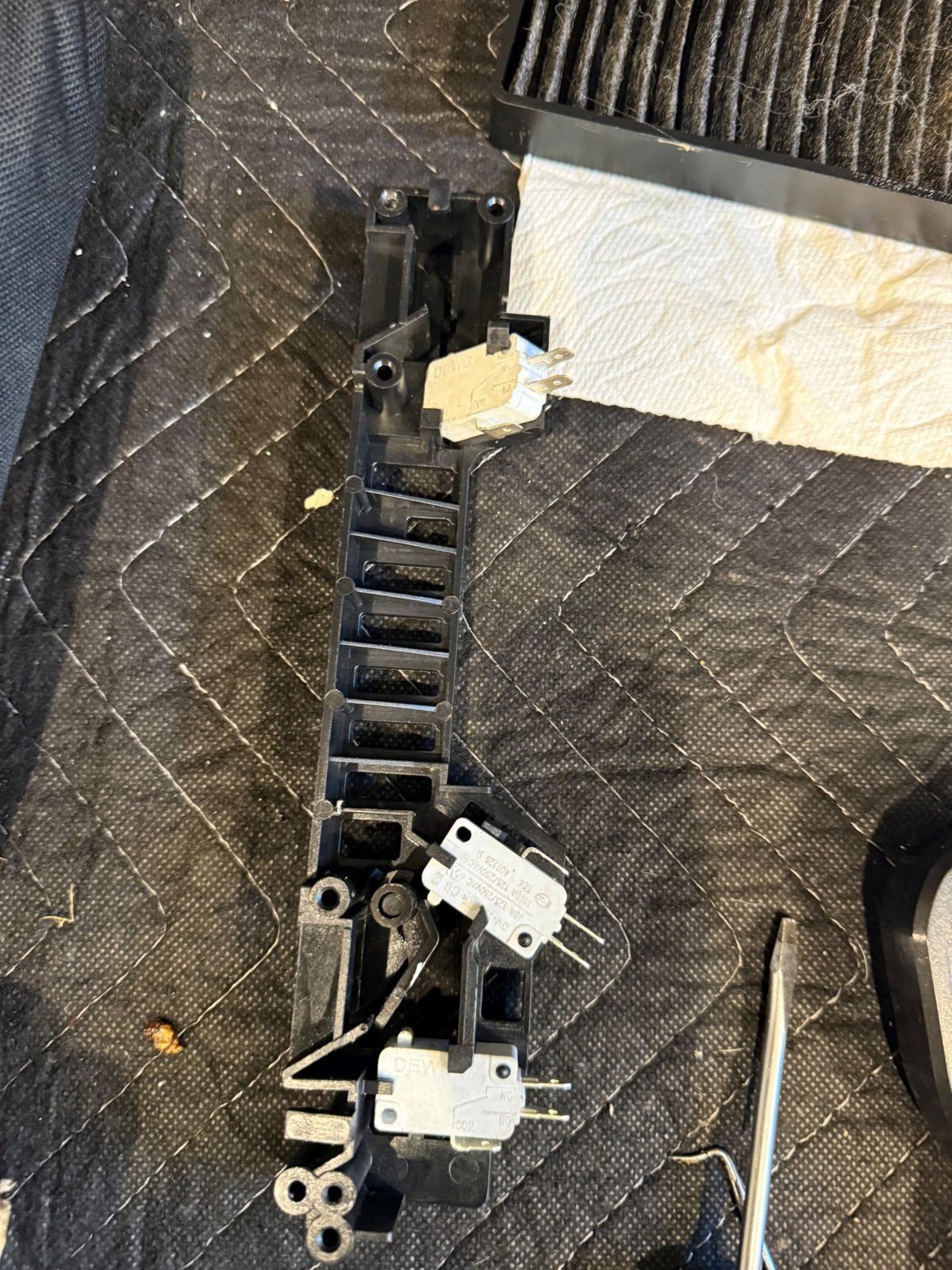
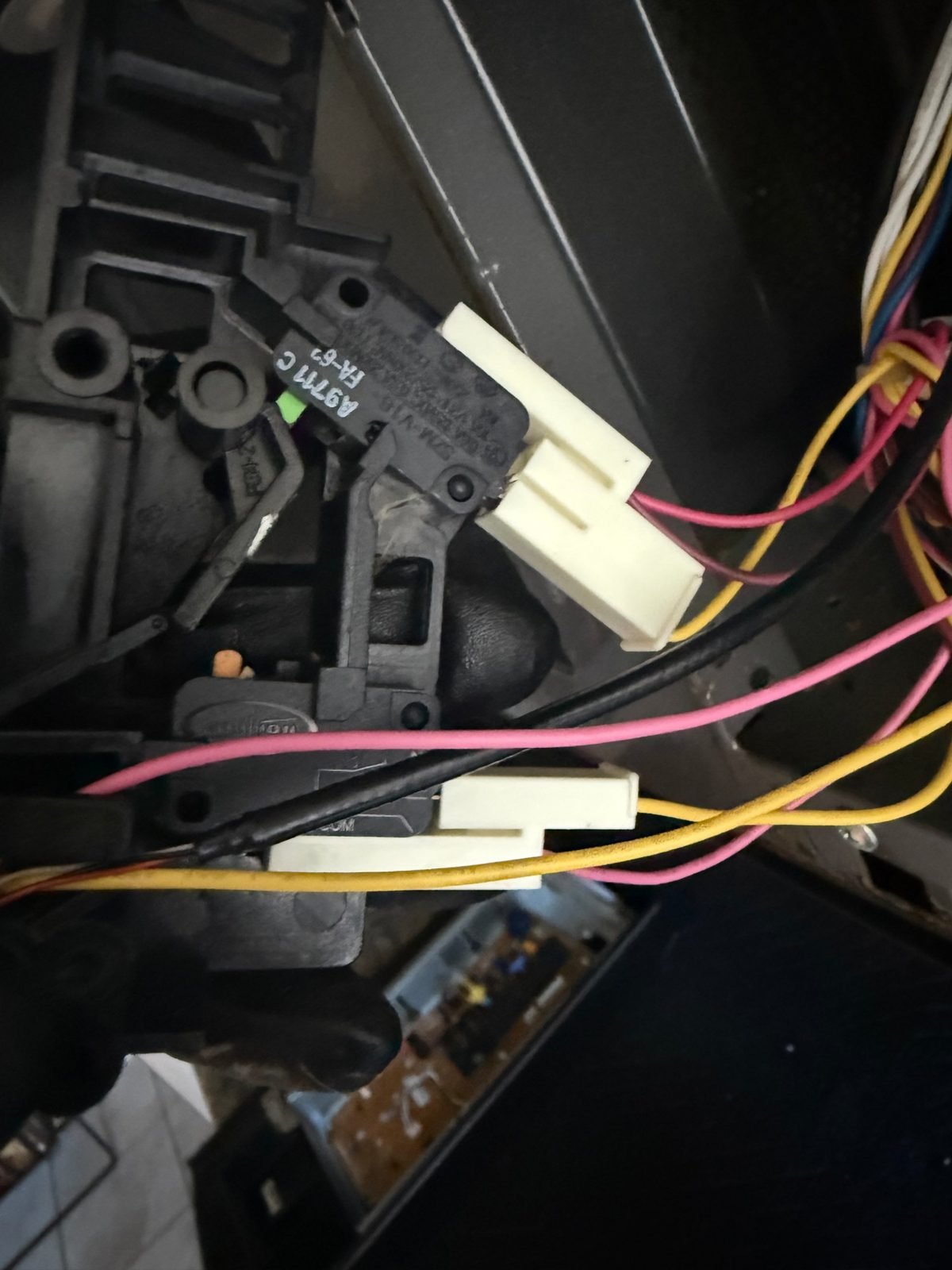
To reach the door switch assembly, our technician removed the control panel. The door interlock switches were worn and did not close every time the door was shut. Whenever the switches failed to close, the microwave treated the door as open and would not start. We also found grease on the actuator lever of the switch and around the latch, which kept the door latch from engaging cleanly.
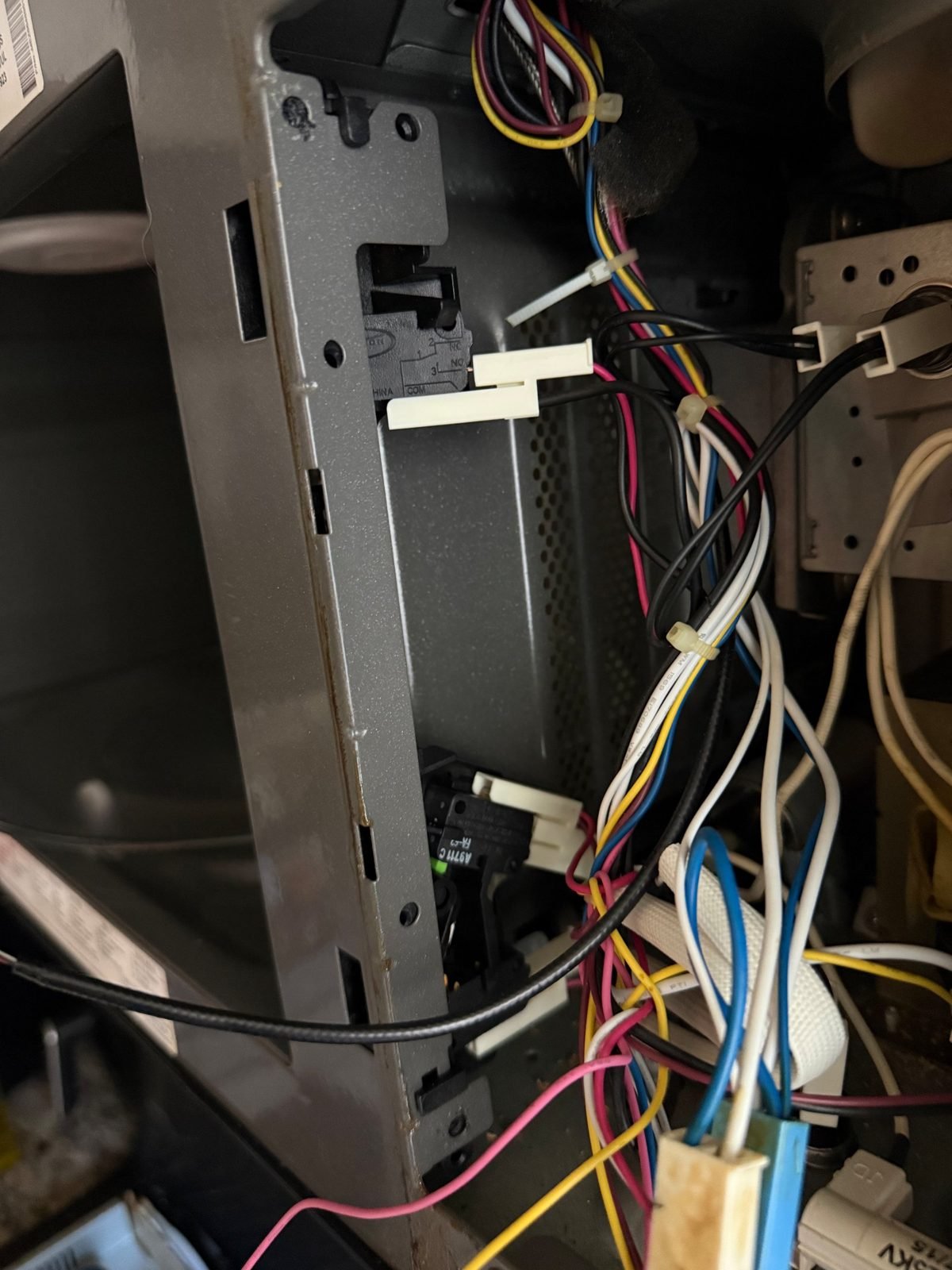
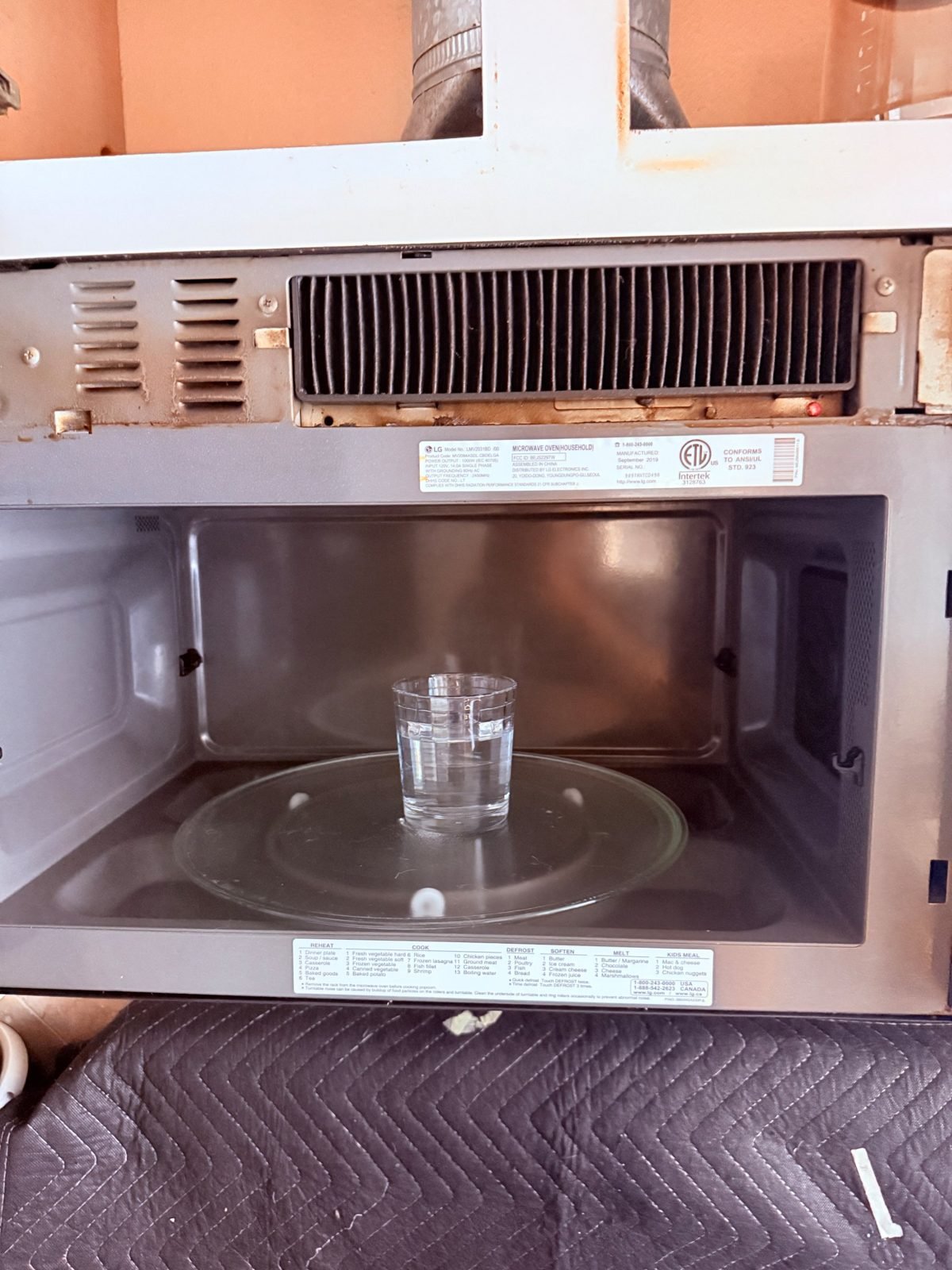
The fix was straightforward once the cause was clear. We replaced the door interlock switches, cleaned the grease off the lever and the latch area, put the control panel back, and tested the microwave with a cup of water. It started on every press, not just some of them.
Why an LG microwave won’t start: LG microwave start button not working
LG’s guide for an LG microwave start button not working points to three causes. Our repair adds a fourth that is easy to miss because it hides inside the unit:
- Door not closing properly. Food residue or debris around the door can keep the door latch from engaging. If the microwave doesn’t detect a closed door, it won’t start.
- Control lock (child lock) is on. You should hear a beep when you press a button. If there is no sound and the display doesn’t change, LG says the control lock is probably enabled.
- Control panel fault. A glitch in the control panel can stop the microwave from responding. LG’s reset step is designed to clear the control panel and any communication faults.
- Worn door interlock switches. This was the cause in our San Diego case. The door interlock switch tells the microwave that the door is closed. When it doesn’t close reliably, the microwave acts as if the door is open.
Keep in mind that the door interlock switches are part of the microwave’s safety system. The microwave is built not to run with the door open, and these switches are how it knows the door is shut.
Why it works sometimes and not other times
An intermittent fault is the most confusing kind, because the microwave seems fine half the time. In a case like ours, two things work together:
- A worn microwave door switch may close on one press and not on the next. Small differences in how the door is shut and where the latch lands can decide whether the switch closes.
- Grease buildup on the door latch and the switch lever can keep the latch from going all the way in. Sometimes it travels far enough, sometimes it does not.
That is why pressing Start a second time, or opening and closing the door, sometimes seems to “fix” it. It is not really fixed: the switch simply closed that time. If your LG microwave won’t start sometimes and the simple checks below don’t help, the door switches are worth having checked.
Match the symptom to the likely cause
Use this table to narrow down why your LG microwave won’t start. It only lists causes from LG’s guide and from our own repair.
| Symptom | Likely cause |
|---|---|
| No beep when you press buttons, and the display doesn’t change | Control lock (child lock) is on |
| Microwave starts intermittently; a second press of Start often works | Worn door interlock switch, or grease buildup at the door latch |
| Door not closing properly, or food residue around the door | Door latch not engaging |
| Display responds, door is clean and closed, but it still won’t start | Possible control panel fault; try a reset (unplug or circuit breaker for 2 to 3 minutes) |
| Error code on the display, or the door is damaged | Needs service |
What you can check yourself before calling
These steps follow LG’s own troubleshooting guide. They are safe to do without opening anything:
- Clean the door area. Wipe away food residue and debris around the door and door seal with a damp cloth. Pay attention to the door latch, where grease buildup can collect.
- Open and close the door 2 to 3 times to make sure the latch engages, then try Start again.
- Check the buttons and the control lock. Press a button and listen for a beep. If there is no beep and the display doesn’t change, the control lock (child lock) is probably on. On many LG models you turn it off by pressing and holding CLEAR/OFF for 3 seconds. The method depends on the model, so check your owner’s manual if that doesn’t work.
- Reset the microwave. Unplug it, or switch off its circuit breaker, and wait 2 to 3 minutes. Then restore power and try again. If the plug of your over-the-range microwave is hard to reach, use the circuit breaker.
If your LG microwave won’t start after these steps, LG’s guide says it is time to request a repair.
When to call a technician
Call for service if any of these apply:
- Your LG microwave won’t start, or still starts only sometimes, after the checks above.
- An error code shows on the display.
- The door is damaged or the door is not closing properly.
- The door interlock switches need to be replaced.
Safety first: do not open the microwave
A microwave has high voltage inside. The capacitor can hold a charge even after the microwave is unplugged, so do not open the cabinet or remove the control panel yourself. Replacing door interlock switches is a technician’s job.
Never bypass the interlock switches. They are a safety system that keeps the microwave from running with the door open. Jumping or disabling them to make the microwave start defeats that protection.
An over-the-range microwave usually has to come off the wall for this repair. It is heavy, so it is a two-person job or a job for a technician.
Microwave repair cost in San Diego
Here is what microwave repair costs with Optimus Appliance Repair:
- Service call and diagnosis: $89.95, credited toward the repair if you approve it within 10 days.
- Repairs: from $189 labor, plus parts.
- Warranty: 30 days on the repair.
- $20 off when you book online.
See all prices on our prices page.
Microwave repair across San Diego
If your LG microwave won’t start reliably, our technicians can diagnose it at your home. Learn more about our microwave repair San Diego service, or book online and save $20. You can also call (858) 225-1715.
Seeing a code instead? Read our guide to the KitchenAid microwave F6 error.
FAQ: LG microwave won’t start
Why won’t my LG microwave start when I press Start?
LG lists three likely causes: the control lock is on, the door isn’t latched properly, or the control panel has a fault. In our San Diego repair of an LG LMV2031BD, worn door interlock switches were the cause: they did not always close, so the microwave acted as if the door was open.
Why does my microwave start only sometimes?
When a microwave starts intermittently, a worn door interlock switch is a common suspect. It may close on one press and not on the next. Grease buildup at the door latch can also keep the latch from engaging fully, so it works some times and not others.
How do I turn off the control lock (child lock) on an LG microwave?
On many LG models, press and hold CLEAR/OFF for 3 seconds. The method can vary by model, so check your owner’s manual if that does not work. A sign the lock is on: no beep when you press a button and no change on the display.
How do I reset an LG microwave?
Unplug the microwave or switch off its circuit breaker, wait 2 to 3 minutes, then restore power and try again. LG says this clears the control panel and communication faults.
Can I replace the microwave door switch myself?
We do not recommend it. A microwave has high voltage inside, and the capacitor can hold a charge even after the unit is unplugged. Replacing door interlock switches is a job for a technician, and the switches should never be bypassed. An over-the-range microwave is also heavy and usually comes off the wall for this repair.
Optimus Appliance Repair is an independent service company and is not affiliated with or authorized by LG Electronics.